Isolate Drums from Songs - Split Kick, Snare, Toms, and Cymbals
Separate the drum layer, split individual kit pieces, and create Drum MIDI for practice, sampling, and arranging.
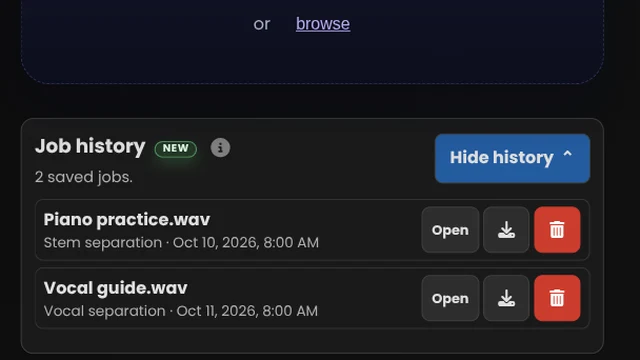
Job history NEW
👤 Sign up or log in to start creating.
🔒 Upload a file to get started.
What would you like to create?
Sets the BPM for Original Timing MIDI while keeping it synced with your audio. Leave blank to use 120 BPM.
Beat-Aligned MIDI, MusicXML, and PDF may use a different BPM.
Optional. If our algorithm can't apply this time signature without changing the notes, it keeps the detected one instead (rare).
By clicking Start Job, you confirm you’re authorized to use this audio and agree to the Usage Rights.
Your Downloads
Simple, Transparent Pricing
One free preview, 5 jobs for $5.99 USD, or unlimited with a subscription. Every option includes all Music Demixer tools.
Free Preview
- ✓ 1 job
- ✓ 30-second result preview
- Upgrade to download the full result
- ✓ No card required
5-Job Pack
- ✓ 5 jobs
- ✓ Full downloads
- Job history
- ✓ Credits never expire
- ✓ Buy more packs anytime
Subscription
- ✓ Unlimited jobs
- ✓ Full downloads
- Job history: Revisit and download past results
Loved by Musicians Worldwide
"The demixing was very good, and much better than I was getting with RX 10. Thank you for giving me this chance to try the PRO version."
"Your platform is the best music score generator I've found, and it keeps getting better with every update."
What You Get
Choose audio separation, notation, MIDI, vocal, and Karaoke tools with Free Preview, a 5-Job Pack, or Pro.
🎹Detailed Piano Transcription
Split piano into left/right hands with sustain pedal events, then export MIDI and MusicXML. Explore Sheet Music.
🎚️Stem Separation
Split a song into 6 stems: vocals, drums, bass, piano, guitar, and Other — MP3, Opus, or WAV downloads for your DAW. Explore Stem Separation.
🎙️Vocal Tools
Separate vocals and instrumental, lead and backing vocals, or duet vocals (Beta). Explore Vocal Tools.
🥁Drum Kit
Isolate drums for practice, separate kick, snare, and other kit pieces for remixing, or create editable drum MIDI and notation. Explore Drum Kit.
🎛️MIDI Transcription
Turn an instrument or vocal part into editable MIDI for your DAW. Keep the original timing or choose beat-aligned notes for arranging. Explore MIDI Transcription.
🎼Multi-Track MIDI & Score
Turn one song into separate, editable MIDI tracks for multiple instruments in your DAW. Includes MusicXML and a PDF score draft. Explore Multi-Track.
🎤Karaoke & Lyrics
Create a karaoke backing track and synced lyrics to sing along with your favorite songs. Includes vocal MIDI and editable sheet music. Explore Karaoke & Lyrics.
🎸Guitar Tab
Learn riffs and solos with editable guitar tabs in your chosen tuning. Convert a guitar recording or a full song. Explore Guitar Tab.
Frequently Asked Questions
What do I get after processing?
Each job returns downloadable files for the output you selected. Depending on the task, that can include an editable Guitar Tab file, with Guitar and Backing track audio added for full-mix Tab jobs; stem audio packs; DAW-ready MIDI; and PDF score drafts + editable MusicXML.
What audio formats are supported?
MP3, WAV, FLAC, M4A/AAC, OGG, AIFF, and most common formats. If something needs conversion, the app handles it automatically.
How is processing handled?
Jobs run through Music Demixer's secure cloud service to generate your outputs quickly and reliably. You upload once, then download the files for your workflow.
Is there a free plan?
Start with one Free Preview job, including downloads from a representative segment. Buy a 5-job Pack or subscribe to Pro to process more jobs and download full-length results.
Can I isolate drums from a song online?
Yes. Upload a mixed song, then export the drum layer or the separated kit pieces for practice, sampling, remixing, or production work.
Can it split kick, snare, toms, and cymbals separately?
Yes, when the source separates cleanly. Bleed and dense cymbal wash can blur the boundary between kit pieces, but clear studio mixes usually give the best split.
Can I use it as a drum separator for sampling or practice?
Yes. Use it to isolate the drum layer, study the groove, build loops, or pull out kit pieces for practice and sample prep.
Can I export Drum MIDI?
Yes. Drum Kit transcription includes Original Timing Drum MIDI and Beat-Aligned Drum MIDI. Use a drum-only recording for direct transcription, or start from a full mix to also receive Drums and Without Drums audio. PDF and MusicXML remain included as score draft files.
What audio works best for drum isolation?
Clear drum transients with less room reverb work best. Live recordings, distorted masters, and mixes with heavy cymbal bleed are harder to separate cleanly.
Choose the Drum Output You Need
Use Drum Kit to isolate the complete drum layer, split individual kit pieces, or create editable Drum MIDI. Start from a full song when drums need separating first, or use a drum-only recording for direct transcription.
Full drums or individual kit pieces
Export the drum layer for practice, sampling, or remixing, or separate kick, snare, toms, and cymbals when you need control over individual pieces.
Create DAW-ready Drum MIDI
Drum MIDI for DAWs is the primary drum transcription output. Drum-only recordings can go directly to Drum MIDI; full mixes can separate the drum layer first, then return drum audio plus Drum MIDI. PDF and MusicXML appear as extra score draft files.
What affects the split
Clear studio transients usually separate better than room-heavy live recordings. Dense cymbal wash, distortion, and microphone bleed can blur kit-piece boundaries. If you also need vocals, bass, piano, guitar, or Other, choose Stem Separation.
Split Drums or Create Drum MIDI
Export drums, kick, snare, toms, cymbals, Drum MIDI, and score draft files from a full song or drum recording.