Spleeter Alternative - Online Stem Splitting Without Python
Split songs into vocals, drums, bass, piano, guitar, and Other online, without installing Python, Spleeter, Demucs, or model dependencies.
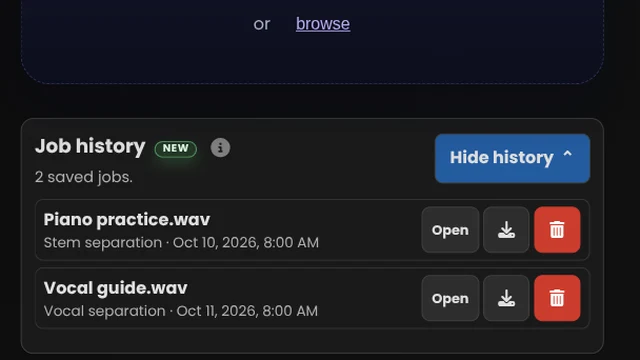
Job history NEW
👤 Sign up or log in to start creating.
🔒 Upload a file to get started.
What would you like to create?
Sets the BPM for Original Timing MIDI while keeping it synced with your audio. Leave blank to use 120 BPM.
Beat-Aligned MIDI, MusicXML, and PDF may use a different BPM.
Optional. If our algorithm can't apply this time signature without changing the notes, it keeps the detected one instead (rare).
By clicking Start Job, you confirm you’re authorized to use this audio and agree to the Usage Rights.
Your Downloads
Simple, Transparent Pricing
One free preview, 5 jobs for $5.99 USD, or unlimited with a subscription. Every option includes all Music Demixer tools.
Free Preview
- ✓ 1 job
- ✓ 30-second result preview
- Upgrade to download the full result
- ✓ No card required
5-Job Pack
- ✓ 5 jobs
- ✓ Full downloads
- Job history
- ✓ Credits never expire
- ✓ Buy more packs anytime
Subscription
- ✓ Unlimited jobs
- ✓ Full downloads
- Job history: Revisit and download past results
Loved by Musicians Worldwide
"The demixing was very good, and much better than I was getting with RX 10. Thank you for giving me this chance to try the PRO version."
"Your platform is the best music score generator I've found, and it keeps getting better with every update."
What You Get
Choose audio separation, notation, MIDI, vocal, and Karaoke tools with Free Preview, a 5-Job Pack, or Pro.
🎹Detailed Piano Transcription
Split piano into left/right hands with sustain pedal events, then export MIDI and MusicXML. Explore Sheet Music.
🎚️Stem Separation
Split a song into 6 stems: vocals, drums, bass, piano, guitar, and Other — MP3, Opus, or WAV downloads for your DAW. Explore Stem Separation.
🎙️Vocal Tools
Separate vocals and instrumental, lead and backing vocals, or duet vocals (Beta). Explore Vocal Tools.
🥁Drum Kit
Isolate drums for practice, separate kick, snare, and other kit pieces for remixing, or create editable drum MIDI and notation. Explore Drum Kit.
🎛️MIDI Transcription
Turn an instrument or vocal part into editable MIDI for your DAW. Keep the original timing or choose beat-aligned notes for arranging. Explore MIDI Transcription.
🎼Multi-Track MIDI & Score
Turn one song into separate, editable MIDI tracks for multiple instruments in your DAW. Includes MusicXML and a PDF score draft. Explore Multi-Track.
🎤Karaoke & Lyrics
Create a karaoke backing track and synced lyrics to sing along with your favorite songs. Includes vocal MIDI and editable sheet music. Explore Karaoke & Lyrics.
🎸Guitar Tab
Learn riffs and solos with editable guitar tabs in your chosen tuning. Convert a guitar recording or a full song. Explore Guitar Tab.
Frequently Asked Questions
What do I get after processing?
Each job returns downloadable files for the output you selected. Depending on the task, that can include an editable Guitar Tab file, with Guitar and Backing track audio added for full-mix Tab jobs; stem audio packs; DAW-ready MIDI; and PDF score drafts + editable MusicXML.
What audio formats are supported?
MP3, WAV, FLAC, M4A/AAC, OGG, AIFF, and most common formats. If something needs conversion, the app handles it automatically.
How is processing handled?
Jobs run through Music Demixer's secure cloud service to generate your outputs quickly and reliably. You upload once, then download the files for your workflow.
Is there a free plan?
Start with one Free Preview job, including downloads from a representative segment. Buy a 5-job Pack or subscribe to Pro to process more jobs and download full-length results.
Can I separate vocals and drums like Spleeter?
Yes. You can export vocals and instrumental stems from the same track; use the main stem workflow when you want the full supported stem list and export options.
Do I need Python or command-line tools before using this?
No. The workflow runs online through our secure cloud service, so you can upload, process, and download without local Python, package installs, or CLI setup.
Should I use this page if I'm comparing Demucs vs Spleeter?
Yes, if your goal is fast online stem exports rather than managing local model environments. Use this page to compare workflow tradeoffs, then move to the main stem page to process your own track.
Which stem format should I choose?
Use WAV when you want 16-bit files for DAW editing, Opus when you want smaller high-quality downloads, or MP3 when you need broad compatibility for sharing, practice, and older software.
Managed Online Workflow or Open-Source Toolkit?
Spleeter is an open-source Python library and command-line tool with pretrained separation models. Music Demixer provides a managed online workflow for musicians who want to upload a track and download stems without maintaining a local model environment.
Setup and control
Spleeter can be installed with Python tooling or run through Docker, giving developers control over a local pipeline. Music Demixer handles processing through its online service, with no Python, model download, or command-line setup for the customer.
Stem outputs
Spleeter's supplied models produce two, four, or five stems depending on configuration. Music Demixer's Stem Separation workflow returns six stems: vocals, drums, bass, piano, guitar, and Other in MP3, Opus, or 16-bit WAV.
What affects results
Separation quality varies with the recording and arrangement. Dense instrumentation, reverb, bleed, and heavy compression can leave artifacts regardless of the workflow you choose.
Choose based on the workflow you want
Choose Spleeter when you want an open-source component for your own technical pipeline. Choose Music Demixer when you want a ready-to-use online product with previews, downloads, mix rebalancing, and follow-up transcription from selected stems.
Compare and Separate
Run an online separation pass and export stems in one workflow.