Melody Scanner Alternative - Workflow and Output Control
Compare a no-install workflow with sample outputs, PDF score drafts, editable MusicXML, MIDI exports, and built-in stem separation for full-song material.
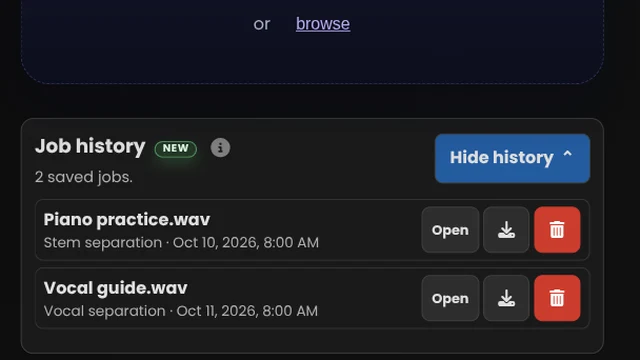
Job history NEW
👤 Sign up or log in to start creating.
🔒 Upload a file to get started.
What would you like to create?
Sets the BPM for Original Timing MIDI while keeping it synced with your audio. Leave blank to use 120 BPM.
Beat-Aligned MIDI, MusicXML, and PDF may use a different BPM.
Optional. If our algorithm can't apply this time signature without changing the notes, it keeps the detected one instead (rare).
By clicking Start Job, you confirm you’re authorized to use this audio and agree to the Usage Rights.
Your Downloads
See how a job runs
A drum track from upload to downloads, start to finish.
How the Workflows Differ
Music Demixer is built around uploaded songs, stems, and solo recordings, with separation available before transcription. Melody Scanner uses a notation-focused scanning workflow. The better fit depends on your source material and what you need to edit afterward.
Score and MIDI outputs
Music Demixer's Sheet Music workflow returns a PDF draft and editable MusicXML. Its MIDI workflow provides editable files for DAW production.
Full songs and model fit
Music Demixer can separate a full mix before creating a score or MIDI draft. Piano and drums have the most specialized transcription paths; guitar, bass, vocal, melody, and Other note outputs generally require more cleanup.
Choose by your next step
Choose notation when you need a score for review, printing, or MusicXML editing. Choose MIDI when you need arrangement control, instrument routing, or further production work in a DAW.
Frequently Asked Questions
What do I get after processing?
Each Pack or Pro job returns downloadable files for the output you selected, and a Free Preview lets you play and view them in your browser. Depending on the task, that can include an editable Guitar Tab file, with Guitar and Backing track audio added for full-mix Tab jobs; stem audio packs; DAW-ready MIDI; and PDF score drafts + editable MusicXML.
What audio formats are supported?
MP3, WAV, FLAC, M4A/AAC, OGG, AIFF, and most common formats. If something needs conversion, the app handles it automatically.
How is processing handled?
Jobs run through Music Demixer's secure cloud service to generate your outputs quickly and reliably. You upload once, then download the files for your workflow.
Is there a free plan?
Start with one Free Preview job and play or view a representative segment up to 30 seconds in your browser. Buy a 5-job Pack or subscribe to Pro to unlock downloads and full-length results.
What is the best path to sheet music from an MP3?
Use a MusicXML workflow: generate the draft, open it in notation software, then clean rhythm spacing and layout before printing.
Can I create MIDI after comparison?
Yes. The MIDI workflow returns Original Timing and Beat-Aligned files for DAW cleanup, arranging, and synchronization.
Does Music Demixer export MusicXML sheet music directly?
Yes. You can export MusicXML for notation editing and printing, then use the MIDI workflow when you need production flexibility.
Simple, Transparent Pricing
One free preview, 5 jobs for $5.99 USD, or unlimited with a subscription. Every option includes all Music Demixer tools.
Free Preview
- ✓ 1 job
- ✓ 30-second preview in your browser
- Full-length downloads with a Pack or Pro
- ✓ No card required
5-Job Pack
- ✓ 5 jobs
- ✓ Full downloads
- ✓ Unlocks your saved Free Preview result
- ✓ Credits never expire
- ✓ Buy more packs anytime
Subscription
for your first 3 months, then $9.99 USD/month
- ✓ Unlimited jobs
- ✓ Full downloads
- ✓ Unlocks your saved Free Preview result
- Job history: Revisit and download past results
Loved by Musicians Worldwide
"The demixing was very good, and much better than I was getting with RX 10. Thank you for giving me this chance to try the PRO version."
"Your platform is the best music score generator I've found, and it keeps getting better with every update."
What You Get
Choose audio separation, notation, MIDI, vocal, and Karaoke tools with Free Preview, a 5-Job Pack, or Pro.
🎹Detailed Piano Transcription
Split piano into left/right hands with sustain pedal events, then export MIDI and MusicXML. Explore Sheet Music.
🎚️Stem Separation
Split a song into 6 stems: vocals, drums, bass, piano, guitar, and Other — MP3, Opus, or WAV downloads for your DAW. Explore Stem Separation.
🎙️Vocal Tools
Separate vocals and instrumental, lead and backing vocals, or duet vocals (Beta). Explore Vocal Tools.
🥁Drum Kit
Isolate drums for practice, separate kick, snare, and other kit pieces for remixing, or create editable drum MIDI and notation. Explore Drum Kit.
🎛️MIDI Transcription
Turn an instrument or vocal part into editable MIDI for your DAW. Keep the original timing or choose beat-aligned notes for arranging. Explore MIDI Transcription.
🎼Multi-Track MIDI & Score
Turn one song into separate, editable MIDI tracks for multiple instruments in your DAW. Includes MusicXML and a PDF score draft. Explore Multi-Track.
🎤Karaoke & Lyrics
Create a karaoke backing track and synced lyrics to sing along with your favorite songs. Includes vocal MIDI and editable sheet music. Explore Karaoke & Lyrics.
🎸Guitar Tab
Learn riffs and solos with editable guitar tabs in your chosen tuning. Convert a guitar recording or a full song. Explore Guitar Tab.
Compare the Workflow, Then Convert
Listen to the sample output, inspect the score drafts, and choose notation or MIDI from there.